Retro Gaming Setup Tour: Classic Consoles on Display at Home
This post may contain affiliate links, meaning I may earn a commission from qualifying purchases from Amazon or other websites. As an Amazon Associate I earn from qualifying purchases. These sales help run this blog without any additional cost to you. Thank you for supporting In Our Spaces! Disclosure..

Disclosure: This post contains affiliate links. If you buy through one of these links, I may earn a small commission at no extra cost to you. Thank you for supporting In Our Spaces.
If you live with a collector, you know how this story goes. The consoles multiply, the controllers wander, and one day the collection that deserves a proper display is living in bins and tangled cords instead.
That is exactly why I wanted to share this tour. This is my husband’s retro gaming setup, and it has come a long way.
Eight classic consoles now sit out on two open shelves in his game room, tidy, labelled and ready to play, with a PS5 Pro keeping them company, nine consoles in all. No digging through storage, no unwiring one system to play another.
Further down, I am also sharing the rolling cart setup that came before this one. It worked well for a long time, and seeing the two side by side is the best way to show why the shelves were worth the switch.
A collection this good should be on display and ready to play, not stored away in bins.
The game room today, two shelves that hold it all
The whole setup fits along one wall, which is part of why it works so well. On the left is a wide pine cabinet.
On the right, tucked into the narrow space beside it, is a tall, skinny shelf. A monitor sits on top of the cabinet, a soundbar sits underneath it, and the posters do the decorating.
Everything has a shelf, everything has a label, and the controllers live right with the consoles they belong to. It reads calm from across the room, even though there is a lot of hardware in a small footprint.

The wooden shelf, a cabinet with its doors left off
The wooden shelf is an IKEA IVAR cabinet in pine. The only change my husband made, for now, was leaving the front doors off. That one small choice is what turned a closed cabinet into display shelving, and it keeps every console visible and easy to reach.
Here is what is on it, shelf by shelf, left to right.
Top shelf: the original PlayStation (PS1) on the left, and the PS5 Pro on the right. Oldest and newest, sharing one shelf.
Second shelf: the Super Nintendo Jr (SNES Jr), then the Nintendo 64, then a clear GameCube. A small Joker figure and a clear controller sit alongside them.
Bottom shelf: games and books stand upright on the left, including Street Fighter and X-Men titles. Two clear bins sit on the right: the left bin holds controllers, and the right bin holds mostly Switch games that my husband plays, with other console games in the back half.

The skinny shelf, the Sega and Neo Geo tower
Beside the IVAR is a narrow 4-tier shelf, the X-cosrack game console shelf with a built-in outlet. It is a smart use of a gap that would otherwise be wasted, and it gives the Sega family a tower of its own.
Top to bottom, it holds:
- Sega Genesis, the first tier
- Sega Saturn, the second tier
- Sega Dreamcast, the third tier
- Neo Geo AES, the bottom tier
Each shelf edge carries a small RetroTINK label, so it is clear at a glance how each console is routed. The built-in outlet helps too, because four consoles in a narrow tower means four power cords to keep sensible.


The piece that ties it together, the RetroTINK 6X
Classic consoles were made for older TVs, so getting them to share one modern monitor takes one hardworking piece of gear. The RetroTINK 6X sits right behind the monitor on top of the IVAR cabinet, in its stand, with the console cables running into it.
That placement keeps the top of the cabinet looking clean from the front. You mostly see the monitor and the soundbar, while the switching and cables happen tucked behind. If you are building a multi-console setup, this is the detail worth copying: one central hub, short and tidy cable runs, and a label on every shelf so you always know what is connected where.
A small HDMI switcher sits on top of the IVAR, visible in the photos..


The details on the walls
The art is kept simple and it suits the room. Above the monitor hangs a colorful Marvel vs. Capcom 2 poster. On the walls nearby are a framed RoboCop 2 poster, a framed Tekken 3 poster, and an Earthworm Jim 2 poster for the Genesis.
Framing two of them keeps the look polished, and leaving the collection itself as the main event keeps the room from feeling busy.


One central hub, tidy cable runs, and a label on every shelf. That is what makes nine consoles feel calm.
The movie collection bookshelf, in the game and workout room
The consoles are not the whole collection. In my husband’s game and workout room, a tall dark wood bookshelf holds his movie collection, with five shelves of Blu-rays standing in neat rows. It would work just as well for games.

On top of the bookshelf, amiibo figures (Ryu, Donkey Kong and another) stand under a Tekken poster. He added figures and a white PlayStation mug among the cases to make the bookshelf look more interesting. To the right of the bookshelf, a wooden stump side table holds a white globe lamp.
To the left, a white 3-drawer Sterilite unit holds accessories in its drawers, with the PS5 controllers kept on top where they are easy to grab.

Before this, the rolling cart setup
Before the shelves, there was the cart. This is my husband’s old rolling cart setup, shared here as the before, so you can see where the setup started.

The cart was a black steel AV cart on wheels, and it held a surprising amount. On top sat a monitor, a tiered controller stand with controllers, a PS4 controller charging dock glowing on the left, and a compact soundbar.
The middle shelf held a clear GameCube and a PS4 Pro. The bottom shelf held a PS2, a blue PlayStation, and a white cable organizer box that hid the power strip and cords.
It had real strengths. It was mobile, it kept a full setup in one small footprint, and the cable box, reusable zip ties and adhesive clips kept the cords under control.
What it could not do was display the collection. Consoles were stacked by shelf space, not shown off, and that is the gap the IVAR and the skinny shelf now fill.
The rolling cart today
The cart did not retire when the shelves went up. It is the same Luxor cart from the before photo, just loaded differently now, with a Toshiba TV on top.

The middle shelf holds the AxunWorks Arcade Power Mini power supply on the left, a cartridge-based arcade unit in the center with a Neo Geo cartridge slotted in, and the Morph4K upscaler standing vertically on the right. The bottom shelf holds the PS2, one of the black Naeety 3-pack cable organizer boxes (the set of three sizes) with a PlayStation sticker on it behind the PS2, and a black Nintendo Wii beside them.

Close-ups of the cart’s shelf
Here is a closer look at the pieces on that shelf.


The back of the cart
The back tells the other half of the story.
The Toshiba TV sits with its back showing, and my husband attached two safety straps to hold it to the cart, so little kids can’t tip the TV forward, and a coiled white cable hangs on the back of the TV. The TV also uses black adhesive cable clips and a cord organizer to keep its cables tidy.
On the top shelf behind the TV, a Nintendo Switch OLED sits in its charging dock on the left, blue and white PS3 controllers rest on a charger with a charging dock, and the Yamazaki Tower Controller Stand holds the gray 8BitDo SN30 Pro controller. He also has the G Classic Edition.
The Switch OLED wears a white Skull & Co. NeoGrip, an ergonomic grip hard shell with replaceable grips, instead of a full case cover, so it docks easily. With a full cover, he had to take the cover off every time he charged it.
The white stick above the stand is an antenna, so we can get local channels on the TV. It sits right on the back of the TV, because that is where we get a better signal since it is slightly higher. It can also sit on top of the cart or elsewhere, since the cable it comes with is quite long (10ft). The coiled white cable is part of the antenna, and because it was really long, he bundled the extra length with reusable cable ties.
From behind, you can also see the middle shelf and its cables, all kept together on the cart.
He uses the PS3 controllers to play on the PS2, with a Brook Wingman PS2 controller adapter for each one. He prefers them because they have pressure-sensitive buttons, which some games require, like The Bouncer and Metal Gear Solid 2.
We also used a ZJBOX Digital TV Converter Box before, on an older analog TV, to get the local channels through the antenna. It works with an antenna and can record live TV to USB.
It has 3.9 stars (10,285 ratings) on Amazon: https://link.amazon/B0ef4iZdR We left it at my parents’ house for them to use, so it is not part of this setup.


Most of the time, we watch TV on a projector anyway. The cart rolls out when we want to watch something on the actual TV, or play games on it.
And when we are done, it rolls away again. That part matters.
When visitors come, little kids cannot reach or touch the game systems, so we cannot have them out in the open all the time. Rolling the whole setup away keeps it together and ready for next time, and out of reach in between.
Sound for the old cart, and what to buy now
One honest note on the old cart. The soundbar in that setup, an Insignia 2.0-Channel Soundbar in black (model NS-HMSB20), is no longer available, so I am not linking to a dead listing. Instead, here are two current picks from Best Buy, starting with the closest like-for-like swap.
The main pick, Insignia 2.0 Mini Soundbar 20 inch

The Insignia 2.0 Mini Soundbar (model NS-SB20S) is the natural replacement. It is the same brand and the same compact idea as the original bar, in a 20 inch size that suits a monitor setup. It connects by HDMI ARC, optical, AUX and Bluetooth, and it is $29.99 at Best Buy, with 4.5 stars across 618 reviews. For a small game room or a rolling cart, that simple, tidy profile is exactly the point.
The upgrade alternative, Samsung HW-S50B

If you would rather step up, the Samsung HW-S50B 3.0 Channel S-Series All-in-One Soundbar is the upgrade to consider. It adds a built-in center speaker dedicated to dialogue, with Dolby 5.1 and DTS Virtual:X, so voices stay clear even when a game or film gets loud. It is $179.99 at Best Buy, with 4.3 stars across 942 reviews. Choose the Insignia for a close, affordable swap. Choose the Samsung if clearer dialogue and a fuller sound are worth the splurge for your space.
Prices and review counts were checked on November 12, 2026, and can change. Check the retailer page for the current price before you buy.
Shop the Setup
Everything shoppable from the tour is gathered here, at the end, so the photos above can stay the star.
A quick note on prices: prices aren’t listed for the setup pieces below. Tap through for the current price. The two soundbars above are the exception, because their price difference is part of the decision.
The furniture
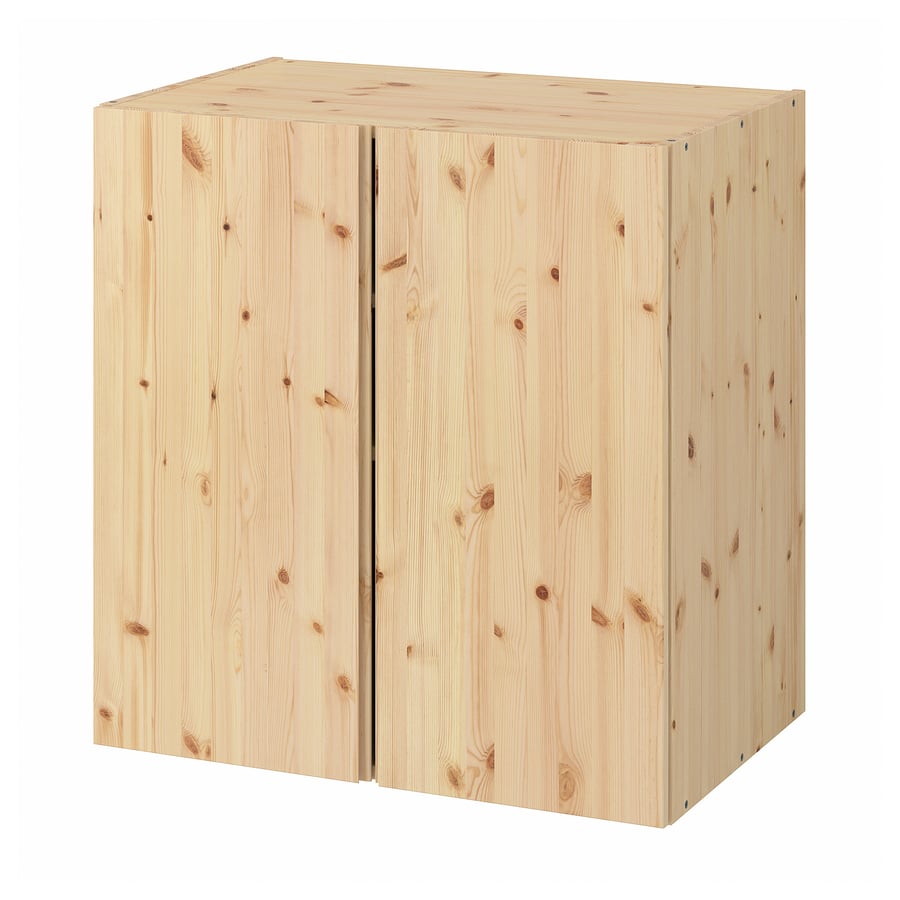
WOODEN SHELF · LTK
IKEA IVAR Cabinet, Pine
The wide wooden cabinet in the game room, used with the front doors left off so the consoles stay on open display.
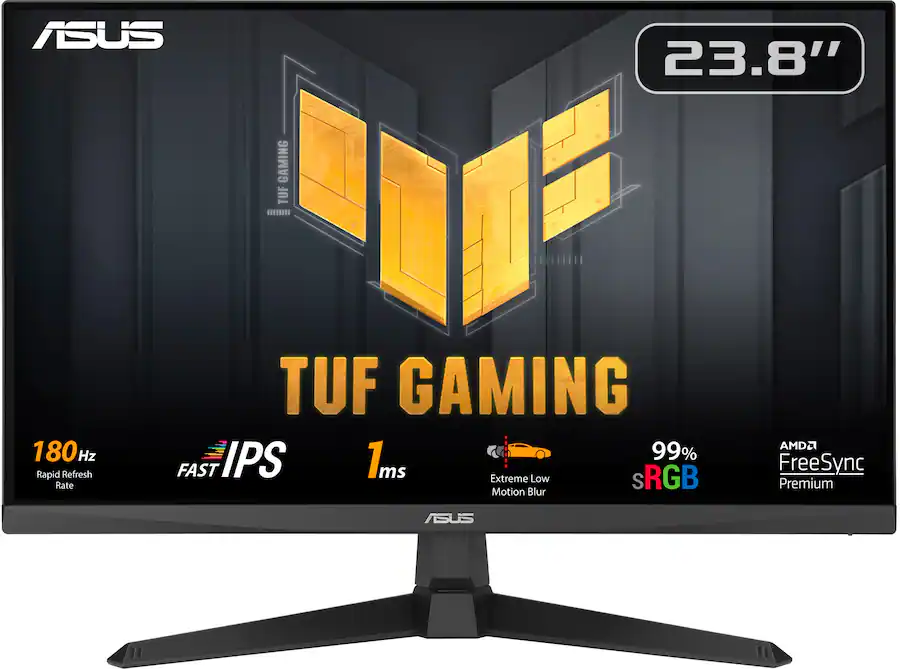
MONITOR · BEST BUY + AMAZON
ASUS TUF Gaming VG249Q3A 24″ Full HD 1080p Monitor
Their monitor is the ASUS VG245H, a 24-inch 1080p gaming monitor with two HDMI ports, which is discontinued. The VG249Q3A is the next recommendation: the same 24-inch size and 1080p resolution, 1ms response, with two HDMI 2.0 ports plus DisplayPort, built-in speakers, and a faster 180Hz refresh rate. The two HDMI ports are the detail to check before you buy. Most monitors this size only have one, and if you get one with just one, you might regret it later.

SKINNY SHELF · AMAZON
X-cosrack 16.5 inch Game Console Shelf, 4-Tier with Outlet
The tall, narrow shelf beside the IVAR, with a built-in outlet (4 AC outlets) and a 5-foot power cord, which helps keep a narrow tower tidy.

OLD CART · AMAZON
Luxor AVJ42XLKB Extra-Large Steel AV Cart
The black steel rolling cart from the old setup, with adjustable height from 24 to 42 inches, 3 shelves and a pullout keyboard tray. Availability note: it is no longer available directly from Amazon, and is instead offered through other sellers on Amazon, so check the seller and delivery details on the listing.

TV · BEST BUY + AMAZON
Toshiba 43″ Class C350 Series LED 4K UHD Smart Fire TV
Our TV is the Toshiba 43″ C350 Series Fire TV, model 43C350LU (2023). It is discontinued, so the links below are for the newer 43C350NU (2025 version), the same 43-inch C350 TV. Measure your cart or stand first and make sure the TV’s legs fit fully on top.

TV ANTENNA · AMAZON
HIDB Indoor TV Antenna for Smart TV, Digital TV Antenna for Local Channels
The white antenna on the back of the TV on the cart, for local channels. An OTA HD indoor TV antenna with long range reception, a 10ft cable and a strong magnetic base, and it supports 4K and 1080P. 3.8 stars (22,672 ratings). I do realize the reviews are low, but we haven’t had any issues personally. It is also available in black; the link here is for the white one, the one we use.

CABLE TIES · AMAZON
Nettbe Reusable Cable Ties, 60-Pack, 6-Inch, Black
Reusable black cable ties, 6 inches long, in a 60-pack — handy for bundling the antenna’s extra 10ft of cable, and the rest of the cords on the cart. Rated 4.8 stars (14,968 reviews) and an Amazon’s Choice pick.

TV SAFETY STRAPS · AMAZON
VIVO TV Safety Straps
Two safety straps holding the Toshiba TV to the rolling cart, keeping it secure while the cart rolls in and out.

STORAGE CART · WALMART
Sterilite 3 Drawer Storage Cart, 2-Pack
The white 3-drawer unit beside the bookshelf. The drawers hold the extra bits he uses when restoring consoles.

BOOKCASE · TARGET
Threshold Carson 5 Shelf Bookcase, Espresso
The Walnut Brown finish in the tour photos is sold out, so this is the same bookcase in the Espresso finish. Espresso is a darker, near-black brown, so it reads as a deeper wood tone beside the games while keeping the same look.
If Espresso is sold out or you want a different look, two similar options are worth a look: the Ebern Designs 71″ Tall Bookshelf With Storage Cabinet in Walnut on Wayfair, and the Union & Scale Essentials 5 Shelf 72″H Laminate Bookcase in Espresso at Staples.
The mood lighting

TABLE LAMP · LTK
IKEA FADO Table Lamp, White
This is the lamp in the game room right now. My husband put a color changing smart bulb in it, and he controls the color from an app on his phone, so the room glows with the game.
The bulb in it is a Govee smart bulb, the popular pick, with 16 million colors, music sync, and app control. He also sometimes uses RGB corner floor lamps for the same glow. The pair we had is out of stock, so this popular Govee floor lamp is the one to get.

His favorite controllers for every classic console. Shop all his controllers here.
Controllers and charging

CONTROLLER ADAPTER · AMAZON
Brook Wingman PS2 Converter
The adapter that lets his PS3 controllers play on the PS2, one controller per adapter, wirelessly. The pressure-sensitive buttons work through it, which matters for games like The Bouncer and Metal Gear Solid 2. 4.6 stars (501 ratings), Amazon’s Choice.
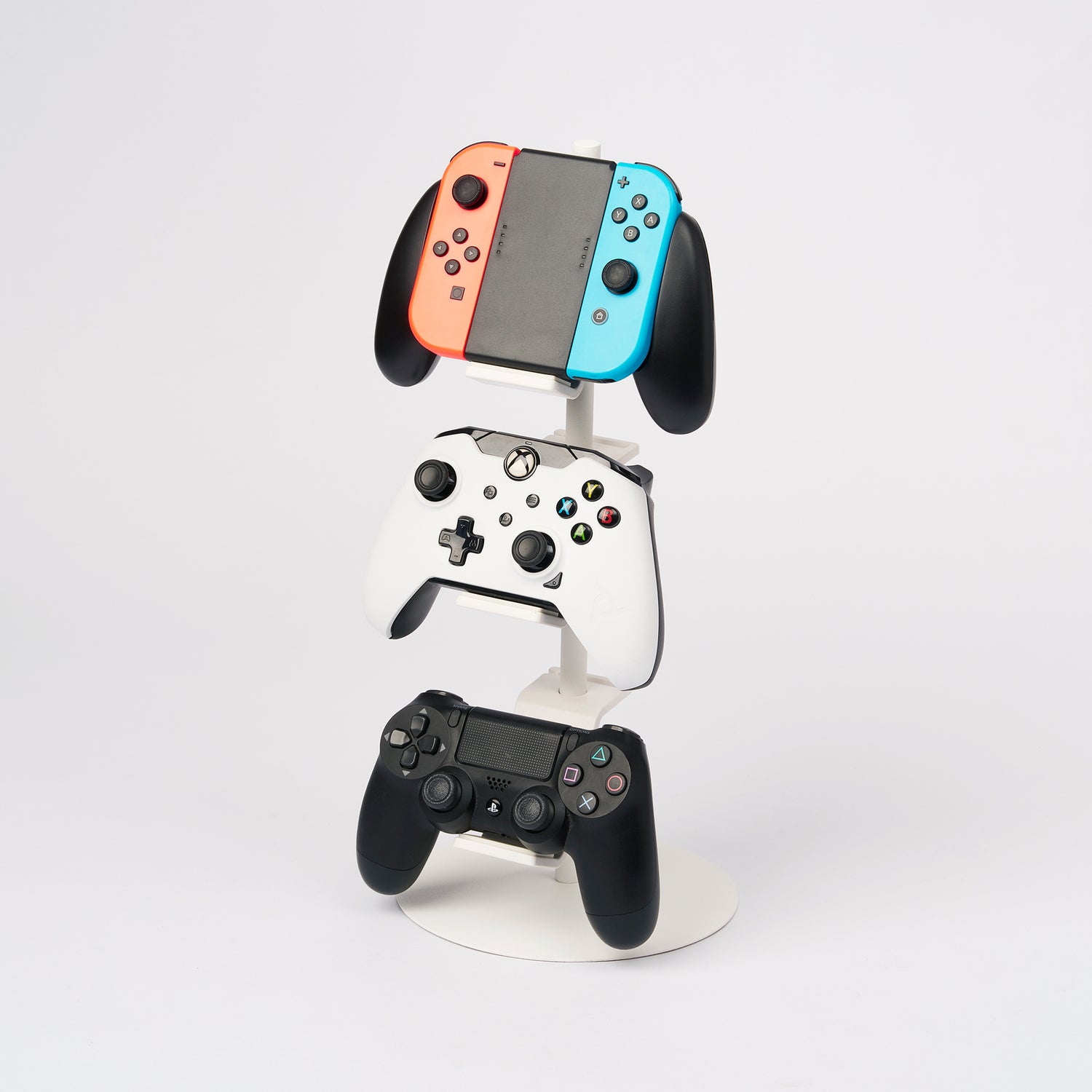
CONTROLLER STAND · YAMAZAKI HOME
Yamazaki Home Tower Controller Stand
The tiered stand on top of the old cart, holding controllers upright in a small footprint instead of in a pile. The white stand shown is the one linked first. Yamazaki also carries a steel and wood version, linked second, if that finish suits your room better.

CHARGING DOCK · AMAZON
NinJoyGo PS4 Controller Charger Dock Station
The dual charging dock seen on the old cart. It fast-charges two PlayStation 4 DualShock 4 controllers at once, works with PS4, PS4 Slim and PS4 Pro controllers, and shows charging status with a clear LED display (green icons in the photo).

SWITCH GRIP · AMAZON
Skull & Co. NeoGrip for Nintendo Switch OLED, White
The white grip on the Nintendo Switch OLED on the back of the cart. An ergonomic grip hard shell with replaceable grips. He uses it instead of a full case cover so the Switch docks easily, because with a full cover he had to take the cover off every time he charged it. 4.6 stars (3,168 ratings), and an Amazon’s Choice pick.

CONTROLLER · AMAZON
8BitDo SN30 Pro Bluetooth Wireless Gamepad (Gray Edition and G Classic Edition)
The gray one is the controller on the Yamazaki stand on the back of the cart, and he also has the G Classic Edition. An 8BitDo SN30 Pro is also visible in the IVAR cabinet photo, in the clear bins at the very bottom of the cabinet. Both are the Hall Effect Joystick size. 4.7 stars (407 ratings), and an Amazon’s Choice pick.

CONTROLLER · AMAZON
8BitDo M30 2.4G Wireless Gamepad for the Original Sega Genesis and Sega Mega Drive, Black
This is the controller that sits next to the Sega Genesis on the top shelf of the skinny shelf, and it is the controller in the Genesis close-up photo in the tour. A 2.4G wireless gamepad for the original Sega Genesis and Sega Mega Drive, in black, with a built-in rechargeable battery. It includes the M30 2.4G controller, the 2.4G receiver and a USB cable, and the firmware is upgradeable. My husband has bought this one three times (most recently Feb 5, 2026). 4.5 stars (1,434 ratings), and an Amazon’s Choice pick, with 500+ bought in the past month, Prime delivery, in stock, sold by Amazon.com.

CONTROLLER · AMAZON
8BitDo M30 Bluetooth Controller for Switch, Windows and Android, Black
This is the controller that sits next to the Sega Saturn on the second shelf of the skinny shelf. It looks the same as the 8BitDo M30 2.4G above, but it is a different controller, so please do not confuse the two. This one is the Bluetooth version, for Switch, Windows and Android. The 2.4G one is for the original Sega Genesis and Sega Mega Drive, and it connects with a receiver dongle. This Bluetooth M30 has the 6-button layout made for SEGA’s classic games, a Turbo function (not available on Switch), Bluetooth, and a rechargeable battery. It is compatible with Switch, Windows 10 and above, Android and Raspberry Pi, and the firmware is upgradeable. My husband last purchased it Oct 30, 2026. 4.4 stars (3,519 ratings), and an Amazon’s Choice pick, with 200+ bought in the past month, Prime delivery, in stock, sold by Amazon.com.

CHARGING DOCK · AMAZON
VSEER PS3 Controller Charger, Dual Console Charger Charging Docking Station Stand for PS3 with LED Indicators, Black
The charging dock on the back of the cart, holding the blue and white PS3 DualShock 3 controllers. It charges two controllers at once in about 4 hours, with LED indicators that show red while charging and blue when full. 4.3 stars (1,123 ratings), and an Amazon’s Choice pick.
Cable management, the unglamorous heroes


CABLE BOXES · AMAZON
Naeety 3 Pack Cable Organizer Box
The same 3-pack set does both carts: the white boxes on the old cart, and one of the black boxes on the current cart, the one behind the PS2 with a PlayStation sticker on it. A set of 3 sizes for surge protectors and cords, with cable management accessories included, so the power strip disappears and the shelf looks calm.

ZIP TIES · AMAZON
Reusable Zip Ties, 100 Pack, Assorted Sizes
Reusable, releasable zip ties in 6, 8, 10 and 12 inch sizes, in black. Because a retro setup changes as consoles rotate in and out, reusable ties beat cutting and replacing single-use ones every time.

CABLE CLIPS · AMAZON
Flezoo Adhesive Cable Clips, 12 Pack, Black
Small black adhesive clips for guiding individual cords along a shelf or cart. Residue-free strong adhesive, no-drill install, and a discreet black finish that blends into the black cart and shelving.


CABLE SLEEVE · AMAZON
Alex Tech 10ft – 1/2 inch Cord Protector Wire Loom Tubing Cable Sleeve Split Sleeving, Black
The black braided split sleeve bundling the cables on the back of the rolling cart. The split design lets you add or remove cables anytime, and the sleeve is bite-resistant. 4.7 stars (85,730 ratings), Amazon’s Choice, with 10K+ bought in the past month.
The same sleeve is also available in white, if you would rather have the white one. The sleeve on the cart is the black one above; the white is just another color to choose from.


LABEL MAKER · AMAZON
DYMO LetraTag 100H (Silver)
This is the label maker my husband uses to label things in the setup, the cables, shelves and bins. A compact handheld label maker with thermal printing and a graphical display that shows what will print before you print it. It offers 5 font sizes, 7 print styles and 8 box styles, has auto-off to save power, and includes 1 LT paper label cassette (1/2 inch, black on white). 4.6 stars (638 ratings), with 2K+ bought in the past month, and Prime delivery.
The tape refills he uses with it: USUPERINK 3-pack LetraTag 91331 white plastic label refills, 12mm (1/2 inch) x 4m (13 ft), black on white plastic, compatible with the LetraTag LT-100H. The plastic resists water, fading and grease better than paper. 4.7 stars (1,455 ratings), with 100+ bought in the past month.

LABEL MAKER, STEP-UP · AMAZON
DYMO LabelManager 160 Label Maker Bundle with 3 D1 Label Cassettes
The step-up pick for readers who want more, and the upgrade over the LetraTag for readers who label a lot. It has a QWERTY keyboard for faster typing, one-touch smart keys, a large display, over 20 text formats and 200+ symbols, and it prints on durable D1 tapes. The bundle includes three 1/2 inch (12mm) x 23 ft D1 label cassettes (black on white), ready to use. 4.4 stars (4,218 ratings), with 2K+ bought in the past month, Prime delivery, in stock, sold by Amazon.com.
Frequently asked questions
How do you connect old consoles to a modern TV?
In this setup, the classic consoles connect through the RetroTINK 6X, the hub that sits behind the monitor on top of the IVAR cabinet, with the console cables running into it. That lets the consoles share one modern monitor, and the labelled shelf edges keep track of how each console is routed. A small HDMI switcher also sits on top of the IVAR, visible in the photos. If you need a switcher for your own setup, the Kinivo 550BN is a 5-port option that comes with a remote. The Acer 5-in-1-out switch is another 5-port option with a remote, and it handles 4K at 60Hz. If your setup needs 4K at 120Hz, look for an HDMI 2.1 switch instead.
How do you display retro game consoles without it looking cluttered?
Give every console its own shelf and keep the controllers right with the consoles they belong to. In this room, the IVAR doors are left off so the consoles stay on open display, one central hub keeps the cable runs short and tidy, a label sits on every shelf, and cable boxes, reusable zip ties and adhesive clips keep the cords under control. Everything has a shelf, so it reads calm from across the room.
What do you need for a retro gaming setup?
At its simplest, the pieces in this tour: shelving to hold the consoles, a monitor, the RetroTINK 6X as the central hub behind the monitor, a soundbar underneath the monitor, and honest cable management to keep it tidy. Here, two shelves hold nine consoles in all, eight classics plus the PS5 Pro, with the controllers corralled in clear bins and a charging dock for the PS4 controllers.
Do you need a CRT TV for retro gaming, or will an upscaler work on a modern TV?
You do not need a CRT TV for a setup like this. The upscaler is what makes it work on a modern display: the classic consoles were made for older TVs, and the RetroTINK 6X behind the monitor lets them share the modern monitor in this room.
What’s the best shelving for displaying retro consoles?
The shelving in this tour is a good model to copy. The wide wooden shelf is an IKEA IVAR cabinet in pine, used with the front doors left off so it works as open display shelving, and beside it a tall, narrow 4-tier shelf with a built-in outlet fits the Sega Genesis, Sega Saturn, Sega Dreamcast and Neo Geo AES into the gap that would otherwise be wasted.
What soundbar should I buy if the original is gone?
Start with the Insignia 2.0 Mini Soundbar for a close, affordable like-for-like swap. Pick the Samsung HW-S50B instead if you want the upgrade, with a built-in center speaker for dialogue. Both are linked in the sound section above.
Is the rolling cart still a good option?
Yes, and this one is still in use, not just a past setup. We usually watch TV on a projector, so the cart rolls out when we want to watch on the actual TV or play games, and it rolls away again afterwards so visiting little kids cannot touch the game systems. That roll out, roll away flexibility is exactly why the cart still earns its place alongside the shelves.
A good setup does not have to be complicated. Two shelves, one hub, honest cable management and art you love will get a collection out of storage and back into everyday life, which is where it belongs.
If you put together a retro corner of your own, I would love to hear which console earned the top shelf in your house.
If you have any questions about this setup, please leave them in the comments. My husband is happy to answer them, and your questions will help us know what gaming post to create next.
You can also follow my husband on YouTube at @s_tier_final_boss, where right now he mostly shares game system restoration, restoring old consoles and cleaning them up. If he gets more followers, I know he will be more willing to create more content and explain more about his setup, so I would love it if you went over and gave him a follow.
Shopping for the gamer in your life? See the gifts for gamers guide.
Pin it for later: save this tour for the next time you are planning a game room, a media shelf, or a gift for the retro gamer in your life.


